Showing posts with label Benetech. Show all posts

Bookshare Offers Free Membership to Disabled Veterans Attending School


Bookshare recently announced that they will be providing free membership for disabled veterans who are currently attending a United States college or university. Bookshare also serves disabled civilian students and others with print disabilities by providing free downloadable accessible books. Veterans who qualify, but are not enrolled in school will have access to a 30 day free trial. After the trial veterans continue using Bookshare for a $50 yearly membership fee. Especially on Veterans Day it is great that veterans who are disabled will be able to access over 215,000 accessible books from the Bookshare library. Bookshare's press release says,
"Accessible books can break down reading barriers and open a new lifeline to reading to go back to school, learn a new vocation or read for pleasure."
A membership provides an individual with electronic books that can be read with text-to-speech or used with a braille device. This makes reading possible for people who are blind, low vision, physically disabled, or dyslexic. Interested veterans can find more information by visiting Bookshare's veterans site. People interested in Bookshare who are not veterans can visit Bookshare.org.

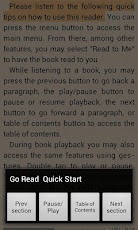
Free Bookshare App For Android


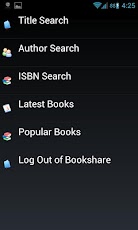
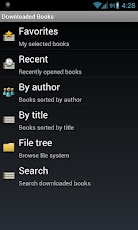
Bookshare recently released Go Read for Android devices. Go Read is the Android version of Bookshare's app for iOS call Read2Go.  The app is free and compatible with a number of Android 2.2 or higher phones and tablets. Features include direct access to Bookshare's library of accessible books, text-to-speech with synced sentence by sentence highlighting and the ability to read ePub books. To learn more about how to become a Bookshare member click here. To download Go Read click here. Click read more below to view screen shoots of Go Read in action.


Read2Go App Gets Updated


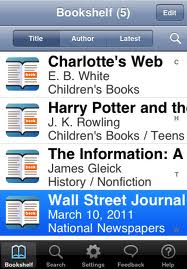
Bookshare's Read2Go app was recently updated with more features and better performance. If you are unfamiliar with Bookshare click here. The Read2Go app allows Bookshare members to download books directly their iPad, iPhone or iPod Touch. Once books are downloaded you can read them using built in text-to-speech. For more on Read2Go click here and here. One new feature in the update enables the app to handle larger books including text books. Another useful feature allows the audio to keep reading even if your device is locked or Read2Go is in the background. Yet another feature enables schools to transfer books to Read2Go via  iTunes. Read2Go is available in  the App Store for $19.99. Read2Go is a must have app for Bookshare members who wanted a portable way to read their books. To read the release notes click read more below.
  Notes from Read2Go iTunes page.

What's New in Version 1.0.1.1

• Playback while locked – allows you to continue Read2Go audio while your screen is locked. Turn on Playback while locked in Audio Settings.
• Background playback – allows you to continue reading with Read2Go audio when you exit the app. You can use the audio controls to pause and resume playback by left swiping the multitasking bar. This feature does not apply when using VoiceOver to read the content of books and periodicals.
• Improved stability – book reading is more stable, particularly for larger books. Further enhancements are planned for the next release.
• Page-by-page content loading – allows you to reduce memory usage and improve performance. Users can still revert back to section level loading. Turn Display by Page on and off in Visual Settings. Playback while locked – continue reading with Read2Go audio while screen is locked.
• Transfer books from computer – Organizational accounts can now transfer books, particularly books with images, via iTunes.
• Auto Play – allows you to set books to automatically play upon opening them via Read2Go audio. This setting is available only from the main application Settings and not from the book settings.
• Improved operability with VoiceOver - among the many fixes, you can now navigate to any section, page or bookmark and begin reading via VoiceOver. We are evaluating other improvements for future releases.
• Fix for audio issues with iPad mute switch. 


Read2Go is Released in the Apple App Store

I have waited for some time now for the release of Read2Go App for the Ipad to be released by Benetech, Inc- and today it finally arrived in the Apple App Store. I quickly downloaded the app which is $19.99  in Apple's App Store and gave it a quick test drive. Once I downloaded the Read2Go App, I logged into my Demo Account and downloaded a couple of books directly to my iPad- which were quickly saved. I was able to configure the Font size as well as a host of various Visual Settings which was very straight forward.

Read2Go uses the popular Acapela Speech Engine and I had a choice of the text being read using Heather or Ryan.. It was easy using the slider to change the speed that the text was being read and highlighted. By default the sentence is highlighted in yellow and each word is then highlighted in green. Users can change the various colors of the highlighting by going into the Visual Settings menu. Read2Go makes it very easy to navigate to a Section, Page, or Bookmark. On first pass the Read2Go is very easy to use and the only problem that I had was I received a Low Memory dialog when reading a book that asked me to quit the other applications. Once I did that everything seemed to work fine. If you are not sure how to Quit apps - just Press your Home button twice and then hold down your finger on any app in the bottom of the window until the icons jiggle- now quit out of each app by Pressing on the Minus sign.

Read2Go looks great and I for one am going to highly recommend it to the students that I work with who have a "Print Disability." Please remember that you must have a Bookshare Account to download books to your iPad. Let me your thoughts about this new app that breaks new ground for students with reading disabilities.