Showing posts with label Kobo. Show all posts

Amazon, Sony, and Kobo Don't Want to Make Their E-Readers Accessible
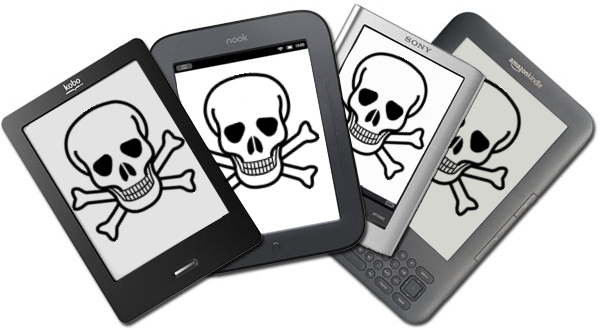
Some of the top names in the e-reader market are asking the Federal Communications Commission (FCC) to waive the accessibility requirements for their devices. Amazon, Sony, and Kobo have all petitioned the FCC to waive the accessibility requirement for their e-readers. They do not want to have to make their devices "accessible to and usable by individuals with disabilities."

The FCC requires advanced communication services (ACS) to be accessible to people with disabilities. The e-reader companies are arguing that their devices do not fall under the ACS classification because they are dedicated to e-book reading. The three companies also claim that adding accessibility features would decrease battery life, increase cost and increase bulk. They claim in the FCC document,
"Rendering ACS accessible on e-readers would require fundamentally altering the devices and it may not be possible to meet that requirement and maintain e-readers as inexpensive mobile reading devices, and yet the necessary changes, if they were made, would not yield a meaningful benefit to individuals with disabilities. It’s not merely cost but the very nature of a specialized e-reader device that is at issue."
Disabilities rights advocates content that because e-readers are not only being used for leisure, but also education the devices should be required to be accessible. Furthermore, Amazon has over a 100 million Kindle-exclusive titles according to the Wall Street Journal. If Kindles are not usable by the blind and people with other disabilities such as dyslexia they are shut out from this content.

It is questionable if adding accessibility features will really slow down and bulk up e-readers as the companies claim. A more realistic possibility is that the companies see adding accessibility features as an unwanted cost and challenge. Instead of requesting waivers from the government these e-reader companies should focus on making devices that are usable to the masses. Adding accessibility feature to devices is important and benefits the consumer as well as the company. With accessibility features e-readers can be purchased in public school, there are more potential customers, and the public will view the company in a better light.

The FCC is requesting the public's input in this matter through Tuesday, September 3. People interested in making a comment can do so by clicking here. The full petition can be read here.

Update: Amazon's newest Kindle Fire HD and Kindle Fire HDX include new accessibility features. Click here to learn more about the new accessibility features.

Five Questions to Ask Before You Buy a Dedicated eReader

I have been using eReaders for some time now and really enjoy the convenience and ease of use of these dedicated devices. In my travels to schools, I am beginning to see more and more schools pilot eReaders in the classroom, especially for students who struggle or who are unmotivated to read. Teachers see the value of students being able to change the size of the font and easy access to the dictionary feature. For many students who struggle in reading many are now more motivated to read on an eReader device as compared to a traditional book. Students can also peruse the Electronic Bookstore and of course with teacher permission download sample chapters from books to see if it will pique their curiosity to engage them in the reading process. But before you go out and purchase an eReader here are some questions you should think about:

1) Do I have access to WiFi in my school or building?

Many of the eReader's support WiFi as well as 3G which will enable you to download books directly to the device without the need to use a computer. If your school has a good WiFi infrastructure then you can save a considerable amount of money by buying the WiFi model of the eReader. For example the  Amazon Kindle Touch with WiFi is $99 dollars compared to the Amazon Touch WiFi/3G model which is $149  dollars. If your schools doesn't support WiFi then you should consider the Kindle Touch WiFi/3G model which would allow you to download books over the air using the 3G network. There is no extra data costs associated with using the Kindle Touch WiFi/3G model for downloading books to the devices.

2) How long can  I expect my dedicated eReader to stay charged?

Many of the dedicated eReaders that utilize E Ink technology can stay charged for long periods of time under normal use. The E Ink technology mirrors that of a traditional page and uses minimal battery life to render the black text on a white background. eReaders like the Kindle Touch and Nook that utilize E Ink technology can stay charged for up to 2 months- which is really incredible if you will be using in a school setting. eReaders that utilize E Ink technology assume that you will be reading the book with a lot of ambient light available.

3) Where can I purchase my books?

All of the major re-sellers of eReaders like Amazon, Bares & Noble, & Kobo provide the user with one stop shopping in their online book store. The online bookstore can be accessed from the devices and books can be quickly downloaded to the devices over WiFi or the 3G network. If you are purchasing books for a school you should investigate getting a corporate or school account with the companies so that you can purchase books with a school Purchase Order

4) Can I read other materials beside books on the dedicated eReader?

In addition to books many of the eReaders also support reading magazines, newspapers, blogs as well as your own personal documents in various formats ie. PDF & Word. When you purchase an Amazon Kindle you are provided with unique email address that you can send Word or PDF documents to, which can be delivered to your Kindle over the WiFi network. This feature is handy for students who want to read their documents on their eReaders

5) How important is having audio and Text to Speech capabilities on my eReader?

While eReaders are great for reading books some eReaders like the Kindle Keyboard and Kindle Touch also support playing audio books from Audible.com as well as reading text on the screen if the Text to Speech capabilities have been enabled by the book publisher. For students with reading disabilities or for those who struggle to read having the text to speech capabilities is a great feature.Likewise, being able to listen to a professionally narrated book from Audible can be very motivating for students who need to reengage with text.

I hope these questions and answers have provided you with some food for thought when you are planning to purchase eReaders. If you have any questions about eReaders, please feel free to email me. If you are interested I am available to run workshops on using eReaders in the classroom.